
Self-Employed Pay Stub Generator

Create Professional Pay Stubs for Self-Employed Workers. Proof of Income for Apartments, Loans & More. No employer? No problem. Generate your self-employed pay stub in under 2 minutes.

Signing a paystub
money back guarantee
100% Security
Satisfaction Guaranteed
Gold stars

Great Service

First time creating a stub. Customer support was AMAZING. I had a few self-induced issues and customer support was there from start to end.

Brandon Wilson

Why Do Self-Employed Workers Need a Pay Stub?

When you work for yourself, nobody hands you a pay stub on payday. But landlords, lenders, and government agencies still ask for proof of income. Without traditional employment records, a pay stub is the simplest way to document what you earn.

Whether you drive for a rideshare company, run a freelance design business, or do contract work across multiple clients, a professional pay stub shows exactly what you made, what was withheld, and what you took home. It turns your self-employment income into a format that banks, property managers, and institutions recognize instantly.

Built for How You Work

Traditional payroll software assumes you have an employer, a fixed schedule, and a single income source. That doesn't describe most self-employed workers. ThePayStubs generator was built for people who:

  • Work multiple gigs or clients. Combine income from different sources into one clean document.
  • Have variable income. Generate stubs that reflect what you actually earned each period.
  • Need proof of income fast. Apartment applications, car loans, and mortgage pre-approvals don't wait.
  • Handle their own taxes. Stubs include federal and state withholding calculations so your records stay organized.

You enter your income details, and our calculator handles federal income tax, state tax, Social Security, and Medicare withholdings automatically. No payroll expertise required.

Self-Employed Proof of Income: Accepted Everywhere

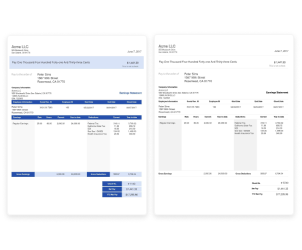
Every pay stub you create includes your name, business information, pay period, gross income, itemized deductions, and net pay. The format matches what employers produce through standard payroll systems.

Self-employed pay stubs from ThePayStubs are used for:

  • Apartment applications. Landlords want to see stable income. A sequence of pay stubs covering 2-3 months shows exactly that.
  • Auto loans and personal loans. Lenders need to verify your income before approving financing.
  • Mortgage pre-approval. Mortgage brokers ask for recent pay stubs alongside tax returns.
  • Childcare assistance and government programs. Many programs require income documentation that tax returns alone don't satisfy.
  • Personal bookkeeping. Track your earnings period by period instead of scrambling at tax time.
How to Create a Self-Employed Pay Stub in 3 Steps

how to create a pay stub step 1

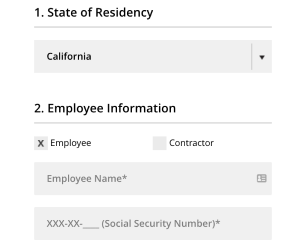
1. Enter Information such as company name, your work schedule and salary details

how to create a pay stub step 2

2. Choose your preferred theme and preview your pay stub.

how to create a pay stub step 3

3. Download and print your stub instantly

Self-Employed Pay Stub Features

Automatic Tax Calculations

Enter your gross pay and the calculator applies current federal income tax brackets, your state's tax rates, Social Security (6.2%), and Medicare (1.45%). For self-employed workers who pay both the employee and employer portions of FICA, this keeps your records aligned with what you'll owe at tax time.

Multiple Pay Periods

Generate stubs for weekly, biweekly, semimonthly, or monthly pay periods. If you pay yourself on a different schedule than traditional employees, choose the frequency that matches how your income actually flows.

Professional Format

Every stub follows standard payroll formatting with clearly labeled sections for gross pay, deductions, and net pay. Your employer name field shows your business name or “Self-Employed,” whatever makes sense for your situation.

Instant PDF Download

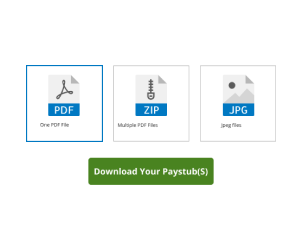
Your pay stub is ready to download as a PDF the moment you finish. Print it, email it, or upload it directly to an application portal. No waiting, no processing delays.

Year-to-Date Totals

Each stub automatically calculates YTD totals for gross pay, taxes, and net pay. When a lender asks for year-to-date income, the number is right there on the document.


Frequently Asked Questions

Do I need a pay stub if I'm self-employed?

You're not legally required to create pay stubs for yourself, but many situations demand proof of income. Apartment applications, loan approvals, mortgage pre-qualification, and government assistance programs all commonly ask for recent pay stubs. Without an employer generating them for you, creating your own is the most practical solution.

Are self-employed pay stubs legitimate?

Yes. Self-employed individuals and independent contractors can create their own pay stubs to document income. The pay stub itself is a record of what you earned and what was withheld. What matters is that the amounts are accurate and reflect your actual earnings. Providing false income information on any document is illegal, but accurately documenting your real income is completely legitimate.

What information do I need to create a self-employed pay stub?

You need your full name, business name (or “Self-Employed”), business address, the pay period dates, your gross income for that period, and your filing status. The generator handles all tax calculations including federal income tax, state income tax, Social Security, and Medicare based on the information you provide.

Will my landlord accept a self-employed pay stub?

Most landlords accept pay stubs from self-employed tenants as proof of income. For stronger applications, provide 2-3 months of consecutive pay stubs showing consistent income. Some landlords may also request bank statements or tax returns as supplementary documentation.

Can I create pay stubs for multiple clients or income sources?

Yes. You can create separate pay stubs for each client or combine all income sources into a single stub per pay period. For apartment and loan applications, a consolidated stub showing your total income per period is usually the clearest approach.

How is a self-employed pay stub different from a W-2 employee pay stub?

The format is identical. The difference is in the employment details: your employer name shows your business name or “Self-Employed” instead of a company. Self-employed workers also pay both the employee and employer portions of Social Security and Medicare (known as self-employment tax), which is reflected in the withholding calculations.

Proof of Income Shouldn't Be Complicated

You already handle your own clients, invoices, and taxes. Creating a pay stub should take minutes, not hours. Enter your details, review the calculations, and download a professional document that works anywhere traditional pay stubs are accepted.


money back guarantee
100% Security
Satisfaction Guaranteed
Gold stars

Great Service

First time creating a stub. Customer support was AMAZING. I had a few self-induced issues and customer support was there from start to end.

Brandon Wilson

Need Help? Chat with us and we'll help you fill the form.

Brett Hello! Don't hesitate to reach out if you have any questions. I'm just a message away!

We respond immediately

Welcome to our chat support! Glad to have you. Please fill out the form for personalized assistance, and we'll be with you right away.
Start the chat