Lowes Pay Stub Portal: How To Obtain Your Pay Stubs and W-2 Form (2026)
Do you need to access your Lowes pay stub portal, but do not know which step to begin with? Lowe's makes it easy through their MyLowesLife employee portal.
With over 300,000 employees across 1,700+ stores, Lowe's built a self-service system powered by Workday. Your pay information is just a few clicks away. If you need to create pay stubs for other purposes, our paystub generator can help.
This guide shows how to access your account for downloading tax documents. It solves typical problems that users encounter during login attempts. The document provides complete instructions to help active staff members and former Lowe's employees complete their tasks. It also offers you the necessary codes and contact details.
Key Takeaways
- Access the Lowes pay stub portal through MyLowesLife at ssologin.MyLowesLife.com using your sales number and password
- Navigate to My HR > See My Payslip to view and download your pay stubs
- Former employees retain 13 months of access to the portal after their last day of work
- Use employer code 11116 on www.MyTaxForm.com to access your Lowes W2 form as a former employee
- You can contact the Associate Care Center for assistance with login issues and password support whenever you need help.
- Key Takeaways
- What Is the Lowes Pay stub Portal (MyLowesLife)?
- Why You May Need Your Pay Stub Documents
- How To Get Your Documents From the Portal
- How To Get Your W-2 Form Tax Document
- Lowes Former Employee Login and Access Guide
- Troubleshooting Login Issues
- Can You Create Your Own Pay Stubs?
- You Might Also Like
- In Summary
What Is the Lowes Pay stub Portal (MyLowesLife)?
The Lowes pay stub portal serves as Lowe's official employee self-service platform. MyLowesLife, powered by Workday technology, provides comprehensive payroll access. The system allows present and past staff members to access pay stubs and retrieve their Lowes W2 form information through tax documents. They can also use the system to handle benefits and monitor work schedules. You can access the portal at ssologin.MyLowesLife.com using your sales number and password.
MyLowesLife serves as your central hub for all payroll information and HR-related tasks. Through this employee portal, you can review your Lowe's payroll details. The system generates complete payroll information. This includes gross pay amounts and all deductions. It also calculates tax withholdings and shows your final net pay amounts for each pay period. The platform enables users to perform three main tasks:
- Benefits enrollment
- 401(k) management
- Direct deposit updates.
You can access MyLowesLife through any web browser on your computer. Alternatively, you can download the Workday mobile app for on-the-go access. The payroll system runs automatic updates. This enables employees to access their latest pay information three to four days before their scheduled payday.
Why You May Need Your Pay Stub Documents
Your pay stub is more than just a record of your paycheck. It’s official proof of income that you’ll need in many situations. When applying for a mortgage, lenders often require recent Lowes paystub documentation. The same goes for car loans and apartment rentals. They need your current pay stubs to confirm your income level. Having this documentation ready can help speed up the approval process.
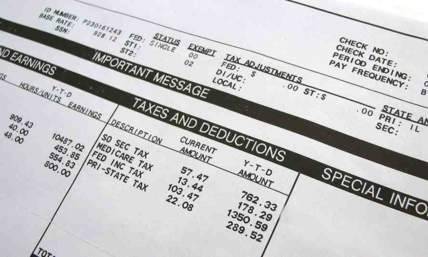
Pay stubs also serve as fundamental tools for tax documentation and financial record maintenance. They show how much is being withheld for taxes and allow you to confirm that the amounts are correct. You can also review deductions for health, dental, and vision insurance, along with contributions to your 401(k) and life insurance premiums. If you’re applying for government benefits, you may need your pay stub as proof of income. The tax section clearly outlines all withholdings so you can track everything in one place.
Lowe's operates as a major home improvement retail chain. Understanding your compensation can help you plan your finances better.
Read more: Understanding FIT Taxable Wages on Your Pay Stub
How To Get Your Documents From the Portal
Getting your pay stub takes just a few minutes once you know where to look. The following steps will help you obtain access to your records. The process is similar to how employees access pay stubs from direct deposit at other companies.
Step 1: Visit the MyLowesLife Login Page
Go to ssologin.MyLowesLife.com in your web browser. Enter your sales number (your employee ID) and password. New users who access the system for their first time must enter their onboarding email temporary credentials to proceed.
Step 2: Navigate to My HR
Once logged in, click the "My HR" button in the top navigation bar. You can access your pay stub history by choosing "See My Payslip" from the left sidebar menu.
Step 3: Download or Print Your Pay Stub
Choose the pay period you need from the list of available records. Click to view the detailed breakdown. Then select "Download PDF or print". Your pay stub will display gross wages, taxes withheld, benefit deductions, and net pay. Gross earnings appear before deductions, and net pay reflects the final amount after all deductions are applied.
Pay stubs are typically available in the portal three to four days before payday. This allows you to check your earnings before the direct deposit reaches your bank account.
If you no longer have access to your previous employer’s system, you can create accurate pay records using our paystub creator.
How To Get Your W-2 Form Tax Document
Accessing your W-2 form depends on whether you're a current or former employee. The following document contains information which addresses both scenarios. Learning how to read a W-2 can help you understand the form once you have it.
For Current Employees
- Log in to MyLowesLife
- navigate to "My Wealth", then "Payroll Services"
- Select "W-2 Services"
- Click on "Get Your W-2 Now".
You can view, download, or print your Lowes tax forms directly from the portal. The Lowes W2 online system updates automatically each year.
Lowe's typically makes W-2 forms available online in late January. Wondering "When does Lowes send out W2 paper copies?" They are mailed to your address on file by the January 31st federal deadline. You should check your portal first because the electronic version of your paper W-2 might be available before mid-February.
For Former Employees
As a former employee, Lowes W2 access is still available. Getting your W2 as a former Lowes employee requires visiting www.MyTaxForm.com and entering employer code 11116. You may wonder, "How to get my W2 from lowes former employee status?". Sign in using your Social Security Number and default PIN. Your PIN is the last four digits of your SSN plus your birth month and year.
You can reach The Work Number at 1-877-325-9239 for help with accessing MyTaxForm. Contact Equifax at 1-888-481-5721 for tax document support. If you're wondering how to get W2 from Lowes, this method works best. Former employees learning how to get Lowes W2 can retrieve their forms this way.
Read more: How to Calculate W-2 Wages from Your Pay Stub
Lowes Former Employee Login and Access Guide
The payroll data for former employees of Lowe's continues to be available through all current accessible pathways. The login process follows distinct operational steps. It differs from the active employee system access methods. You can also learn how to request a W-2 from a previous employer if you need records from other companies.
How Long Former Employees Have Access
After your last day at Lowe's, you retain myloweslife former employee access for 13 months. During this window, you can log into the portal to retrieve historical pay stubs and tax documents.
Lowe's will start a two-email procedure after your employment ends. This procedure sends brief login details to your work email address. You can also use the Lowes Workday former employee URL at wd5.myworkday.com/wday/authgwy/lowes/login.html directly. Select the "Former Associate" option when you reach the login page.
What Former Employees Can Access
With your login, you can:
- View and download historical pay stubs
- Access your W-2 forms through MyTaxForm by using employer code 11116
- Update your contact information for tax document delivery
- View your final pay statement details
What Former Employees Cannot Access
- Your exit from Lowe's prevents you from handling work schedules and benefits.
- You also cannot access company communication tools.
- Tuition reimbursement requests become unavailable, too.
The system turns off these features when you finish your work.
Employees should download their Lowes paystubs and tax documents right after accessing the Lowes paystub portal. Save all important files immediately. After the 13-month access period ends, you must reach out to HR for access to archived records. Contact the Lowes payroll number for assistance with older documents.
Troubleshooting Login Issues
Having trouble accessing your pay records? Here are solutions to common portal problems.
Forgot Password
Click "Forgot password" on the MyLowesLife login page. You need to follow the prompts. This will allow you to reset your account through your individual email address. The system will generate a short-term password. You can use this to establish your new account access.
Expired Former Employee Access
If your 13-month former employee window has closed, contact the Associate Care Center for assistance. You can also complete the Former Associate Inquiry Form at corporate.lowes.com/former-associate-faqs-form to request archived records.
For HR support, call the Associate Care Center directly. The team provides assistance with access problems. They also offer password recovery services. Document retrieval support is available through this channel, too.
Browser Issues
Clear your browser cache and cookies to gain access to the portal. Employees need to change their web browser if the system problems continue to occur. Chrome and Safari may work best with the Workday platform.
Tips for Easier Access
Download the Workday app for faster mobile access. The Lowes pay stub portal works seamlessly on mobile devices. Face ID and fingerprint login should be enabled. This feature eliminates the need to enter your password whenever you want to access the system. You can access the official MyLowesLife URL through your browser to prevent phishing attacks, which create fake login pages.
Can You Create Your Own Pay Stubs?
Sometimes you need pay documentation, but the usual access just isn’t there. Maybe your employer’s portal is currently unavailable. If you’re self employed, you likely don’t have a corporate portal like the Lowe's Market pay stub system that employees use. Freelancers and contractors often have to find alternative ways to show proof of income. Former employees can also run into issues once their portal access expires.
A paystub generator can create accurate pay documentation for proof of income when applying for loans or apartments.
You Might Also Like
- Walmart Pay Stub Guide: OneWalmart Login and Access
- How to Get Your CVS Pay Stub and Employee Portal Access
- Dollar Tree Pay Stub Portal: Compass Employee Login
In Summary
Accessing your Lowes pay stub portal is simple once you have the correct URL and login details. Current employees can view their pay information through MyLowesLife at ssologin.MyLowesLife.com. Former employees retain access for up to 13 months and can also retrieve W-2 forms through MyTaxForm using employer code 11116. Be sure to bookmark the portal for easy future access. It’s also a good idea to download and save your pay stubs regularly, along with your W-2 once it becomes available. If you experience any login issues, the Associate Care Center can assist with most account-related concerns.
If you need professional pay documentation for rental applications, loan approvals, or other financial requirements, you can create exact paystub Lowes format documents through our easy-to-use pay stub templates on our website. It operates at a fast pace of under ten minutes. Our Lowes pay stub portal alternative provides instant access to professional documentation.